Stop paying for takeout. Cook it for a fraction of the price.
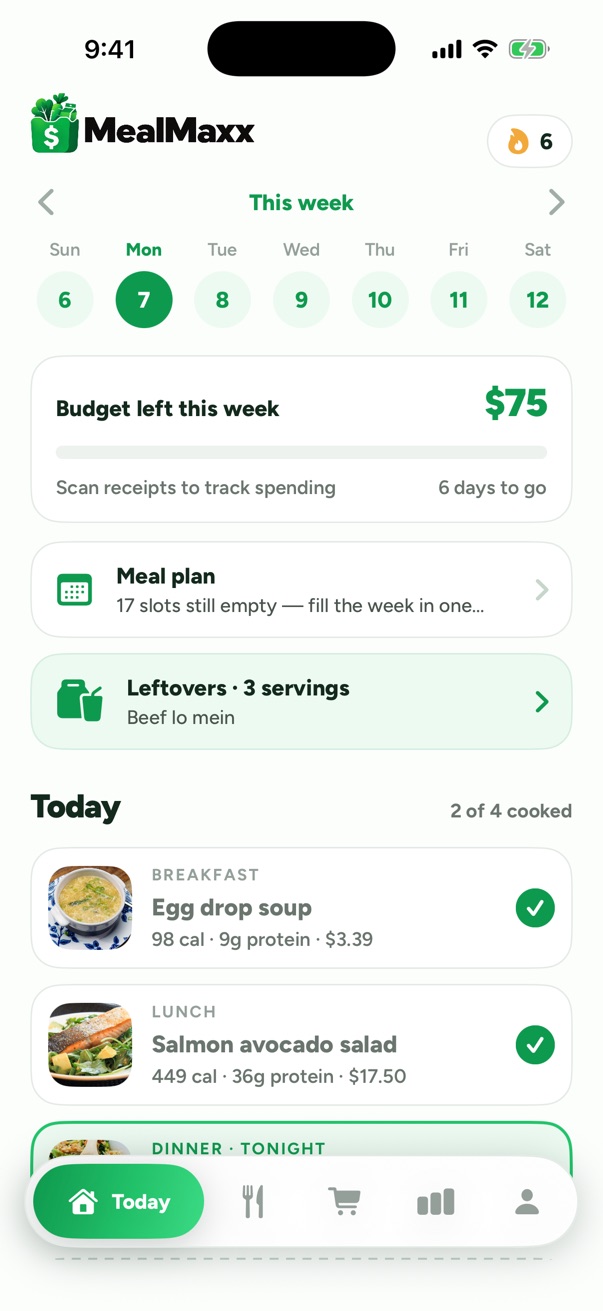
MealMaxx plans a week of breakfasts, lunches and dinners around your grocery budget, prices one shopping list for the stores you shop at, and walks you through cooking every meal.
Restaurant prices compared with estimated home-cooked prices
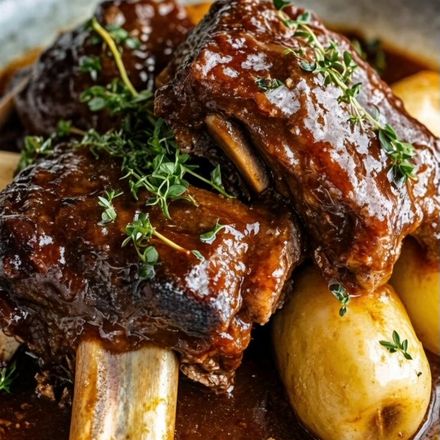
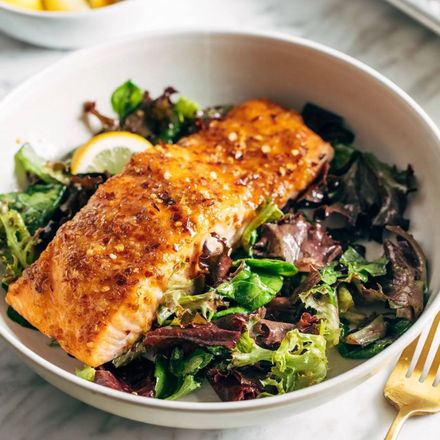
$19$4.12Teriyaki salmon: about $19 at a restaurant, an estimated $4.12 a serving at home.$16$2.40Korean fried chicken: about $16 at a restaurant, an estimated $2.40 a serving at home.$23$8.71Lemon butter scallops: about $23 at a restaurant, an estimated $8.71 a serving at home.$25$7.07Braised beef short ribs: about $25 at a restaurant, an estimated $7.07 a serving at home.$12$0.59Blueberry pancakes: about $12 at a restaurant, an estimated $0.59 a serving at home.$17$3.39Chicken parmesan: about $17 at a restaurant, an estimated $3.39 a serving at home.$22$5.96Hot honey salmon: about $22 at a restaurant, an estimated $5.96 a serving at home.$20$3.27Chimichurri steak: about $20 at a restaurant, an estimated $3.27 a serving at home.
Struck through: what the dish typically costs at a US casual-dining restaurant. In green: MealMaxx's estimated cost per serving to cook it at home. Home prices are estimates and vary by store and area.
11
Quick questions
About two minutes from download to your first week.
7
Days, planned
Breakfast, lunch and dinner — whichever you choose.
1
Shopping list
With an estimated total before you leave the house.
2
Meals from one cook
Tonight's dinner becomes tomorrow's lunch.
How it works
Plan it, shop it, cook it.
Your week
A week of meals that fits your budget.
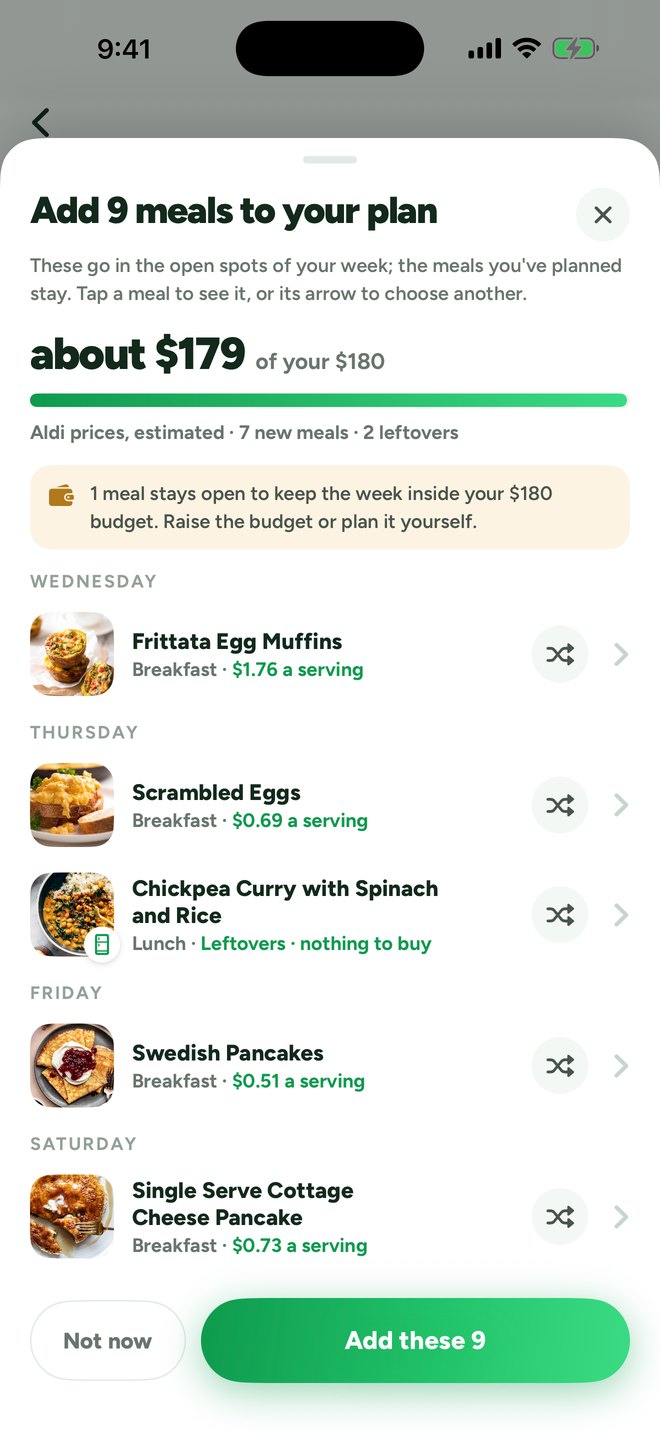
Tell MealMaxx where you shop, who you cook for, what you spend, how long you'll cook, how you eat and what you're allergic to. Tap the Plan button and it fills the open spots in your week — with your budget as a ceiling, not a target — and shows what the new meals cost before anything is added.
Swap any meal you don't like before it goes on your plan, or tap it to see the recipe first.
Kids count as half a serving, so a family's list, prices and savings fit the people actually eating.
Discover
Or find your own meals.
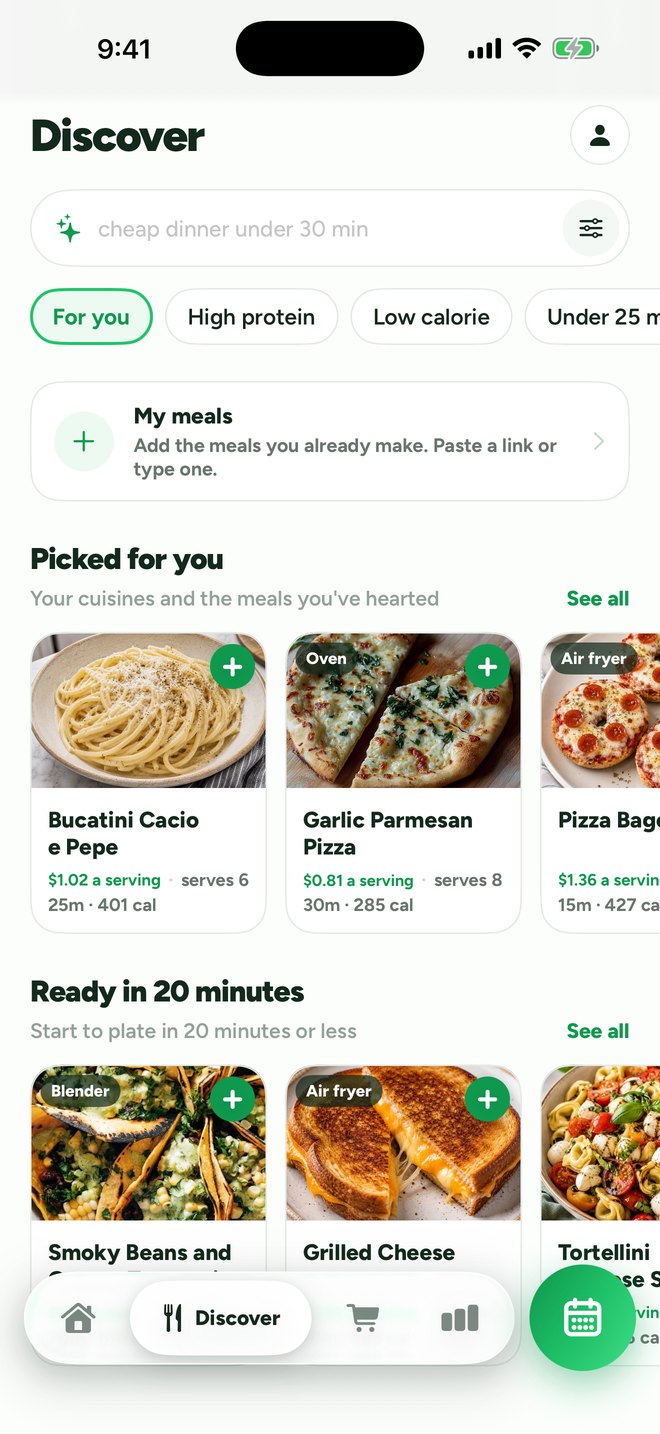
Browse hundreds of meals, already narrowed to your diet, your allergies, your cooking time and your kitchen. Picked for you comes first, then eight rows that change every day — Takeout favorites, High protein low calorie, Ready in 20 minutes, Under $2 a serving and more. Or search by name and filter by cuisine, cook time, cost a serving, protein and calories.
Add any meal to your week. Each one shows its estimated cost a serving and its time before you add it.
Bring your own recipes. Paste a link from a recipe site, Pinterest, TikTok, Instagram or YouTube and MealMaxx fills the recipe in — then plan it, shop for it and cook it like any other meal.
Shopping
Know what it costs before you shop.
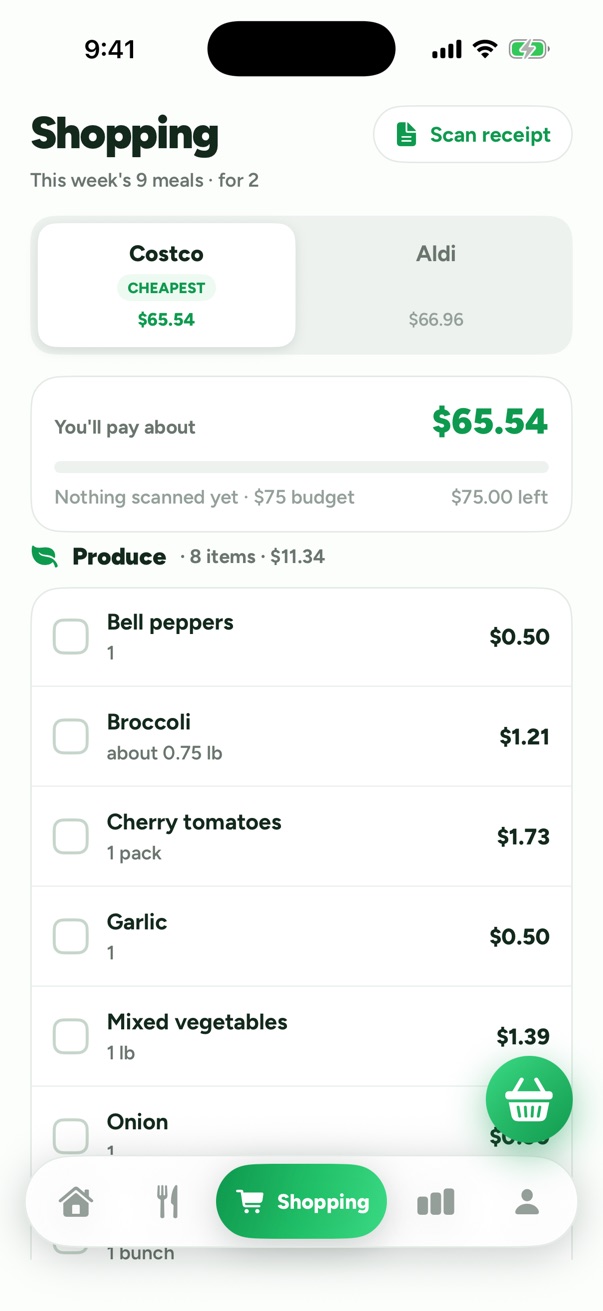
Your week becomes one shopping list, sorted by meal or by aisle. Your two stores sit side by side with what the list costs at each and a bar against your weekly budget, and the estimated cheapest is marked. Anything already in your pantry comes off the list.
Every price is an estimate, worked out per item for your stores near your ZIP code — and the app says so.
Cooking
Step by step, with the timers built in.
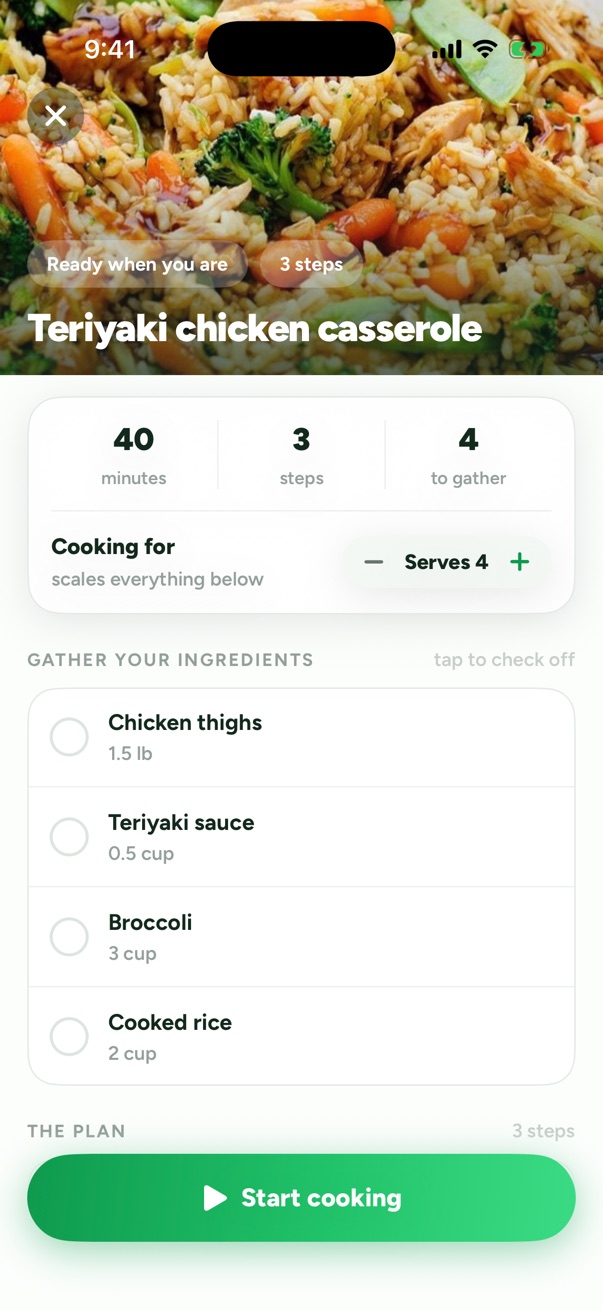
Set your servings and every ingredient rescales. Then cook one step at a time with built-in timers. Finish with one tap: what's left goes straight onto your plan as a later lunch or dinner, and your pantry is drawn down.
Leftovers are planned, not forgotten. The next time your week is filled, what's in the fridge goes in first, with nothing to buy.
Progress
See what cooking saved you.
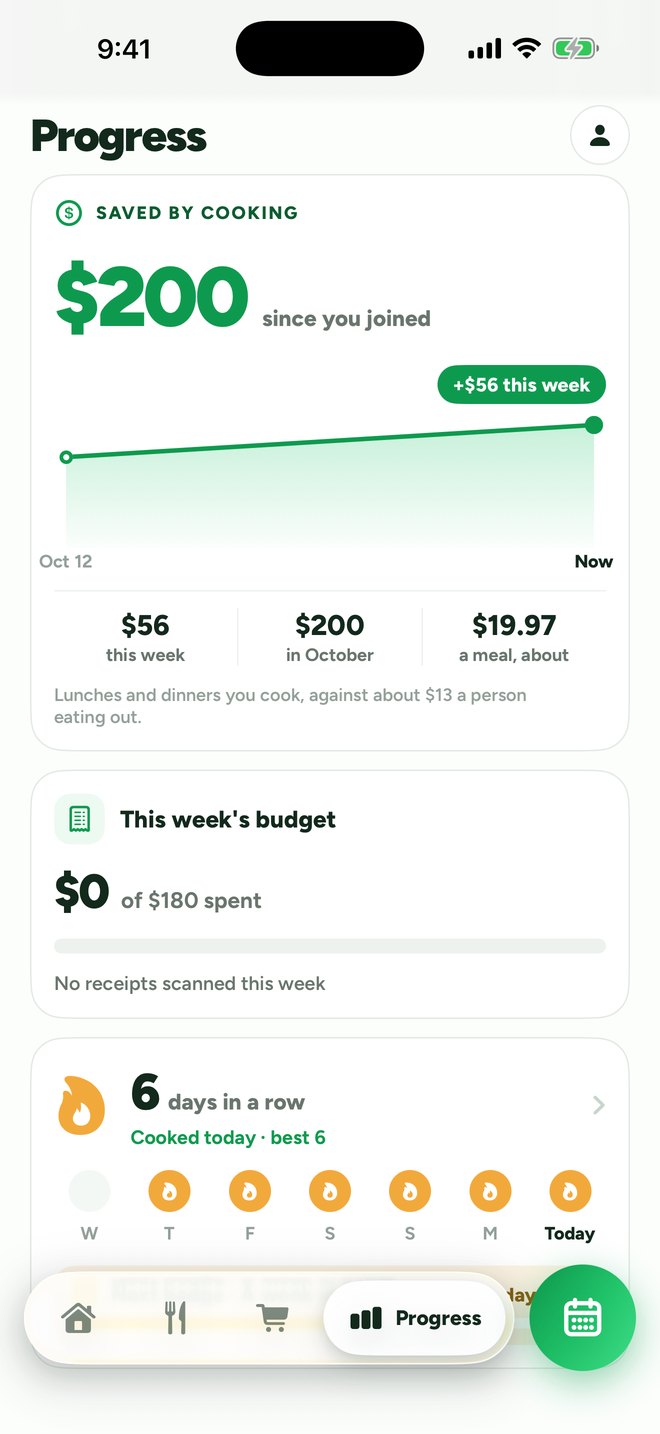
Progress shows what cooking has saved you since you joined, compared with eating out, and this week's spending from your scanned receipts against your budget. Scan a receipt and the prices you actually paid replace the estimates for that store.
Keep a cook streak going and collect badges along the way.
Built around you
Your rules come first. Then the budget.
Your diet and allergies
Vegetarian, vegan, pescatarian, gluten-free or dairy-free — and the allergens and ingredients you want to avoid are kept out of every plan. A meal that breaks one of your rules is never planned.
Your kitchen
Tap the appliances you have — stove, oven, air fryer, microwave, blender, rice cooker, Instant Pot. Recipes only use what you've got.
Your time
Set the longest you'll spend making breakfast, lunch and dinner. Every recipe in your plan fits inside it.
Your stores
Enter your ZIP code and pick the grocery chains you actually use — Aldi, Walmart, Kroger, Target, Costco, Publix and many more — then compare them side by side.
Allergen filtering is based on recipe ingredients. Always check product labels.
Plan your first week tonight.
Eleven quick questions, about two minutes, and a full week of meals with one shopping list.